
Have you checked these first?
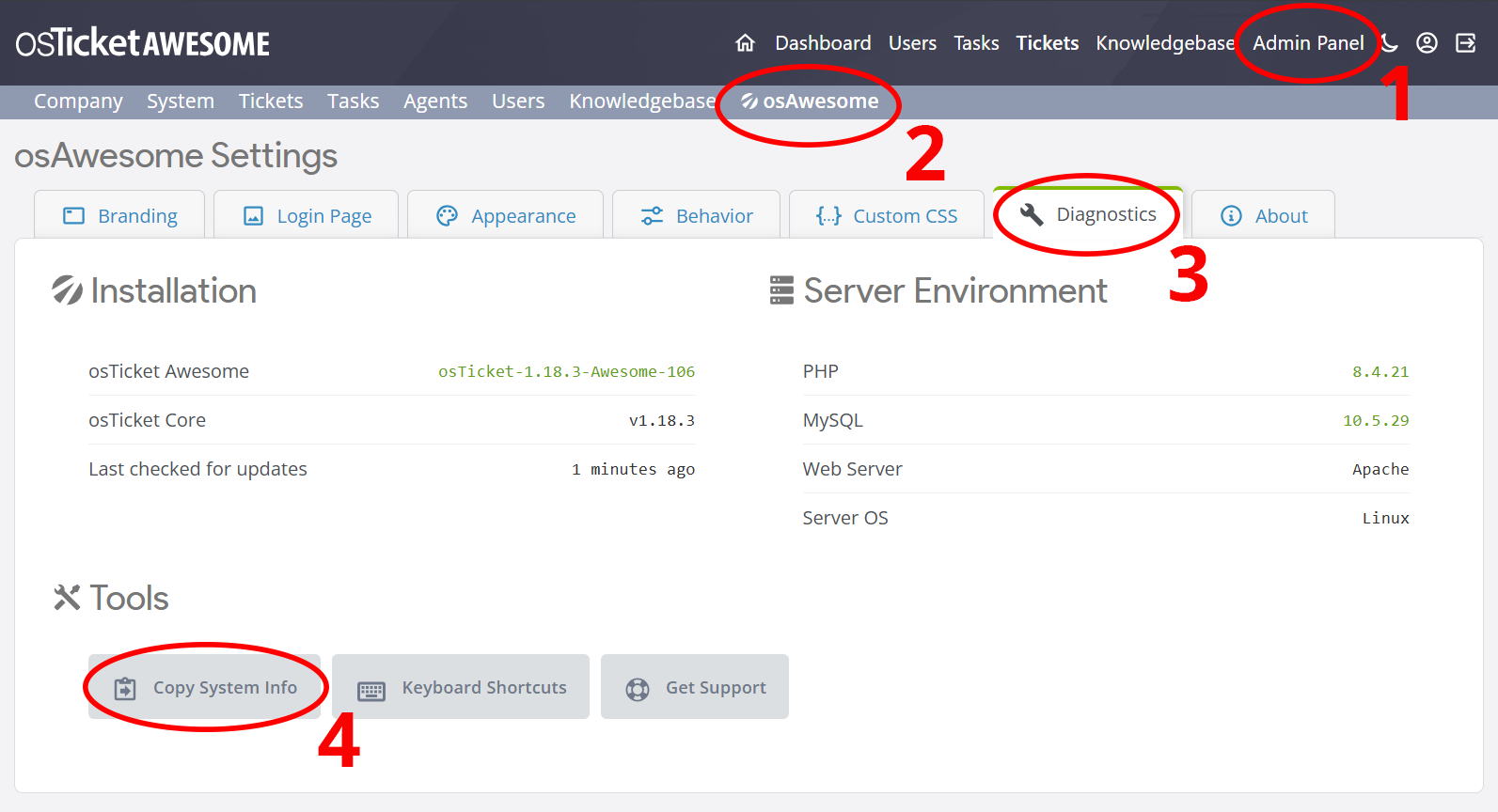
Help us help you: include your environment details. We've made this easy for you. Use the Copy System Info button in Admin Panel › osAwesome › Diagnostics, then paste below.
Note: Never paste the contents of your ost-config.php file here; it holds your database credentials.
Two quick checks before posting: try clearing your browser cache, and press SHIFT+O on any Staff Panel page to enter Safe Mode (a stock osTicket with no enhancements). If the problem still shows in Safe Mode, it's in osTicket itself, not osTicket Awesome. But let us know about the issue either way.
Help us help you: include your environment details. We've made this easy for you. Use the Copy System Info button in Admin Panel › osAwesome › Diagnostics, then paste below.
This forum is public. Never post order numbers, full license keys, email addresses, or payment details.
This is the place for general questions about how billing and licensing work — renewals, activation, staging slots, plan differences, and what happens when a license lapses.
For anything tied to your specific account, refund, or payment, contact us directly instead.

Hello,
Since updating to osTicket-1.18.4-Awesome-10, I can no longer change the logo in the upper-left corner. I deleted all the logos I had uploaded previously and re-uploaded them. Nothing has changed.
The default osTicketAwesome logo is always displayed. On the agent login page, both the uploaded logo and the osTicket logo are displayed.
What can I do to narrow down the issue? No files have been customized. I performed the update according to the instructions.
osTicket v1.18.4 // osTicket-1.18.4-Awesome-103
PHP 8.4.27 // MySQL 10.11.11 // Apache/2.4.63 (Unix)
This error is shown in the Browser Console: Failed to load resource: the server responded with a status of 500 () - logo-options-image.css:1

Thanks for the console error, that pinned it down. Your logo and settings are fine. Your web server is rejecting a small access-rules file we ship in one folder, and that stops the stylesheet that selects your logo from loading. Please delete the file osta/opt/.htaccess inside your helpdesk folder and reload the page. Your logo will appear straight away. Removing the file is safe on 1.18.4-Awesome-103, and the next release will not need it.